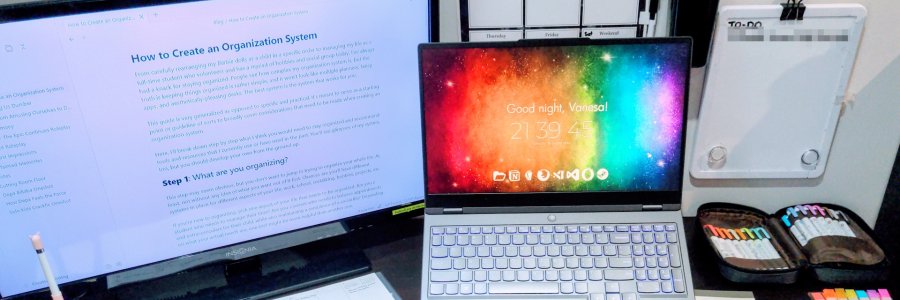
From carefully rearranging my Barbie dolls as a child in a specific order to managing my life as a full-time student who volunteers and engages in a plethora of hobbies today, I’ve always had a knack for staying organized. People see how complex my organization system is, but the truth is keeping things organized is rather simple, and it won’t look like multiple planners, fancy apps, and aesthetically-pleasing desks. The best system is the system that works for you.
This guide is very generalized as opposed to specific and practical. It’s meant to serve as a starting point or guideline of sorts to broadly cover considerations that need to be made when creating an organization system.
Here, I’ll break down step by step what I think you would need to stay organized and recommend tools and resources that I currently use or have used in the past. You’ll see glimpses of my system, too, but you should develop your own from the ground up.

Step 1: What are you organizing?
This step may seem obvious, but you don’t want to jump in trying to organize your whole life. At least, not without any idea of what you want out of it first. Chances are you’ll have different systems in place for different aspects of your life: work, school, socializing, hobbies, projects, etc.
If you’re new to organizing, pick one aspect of your life that needs to be organized. Are you a student who needs to manage their time? Are you a parent who needs to balance appointments and extracurriculars for their child, while also maintaining a semblance of a social life? Depending on what your actual needs are, one tool might be more helpful than another one.
If you’re a bit more advanced and trying to organize your entire life, make sure to prioritize what your goals are, or you’ll be organizing blindly (see step 2).
Here are some examples of aspects of your life that could be organized:
- Your goals in life and/or your career
- Your personal projects
- Your hobbies and recreational activities
- Your notes and papers
- Your calendar
- Your desk
- Your room
- Your digital files
I’m a fan of the Second Brain, a concept developed by Tiago Forte to organize your digital notes. If you’re not sure where to start, you can break down the areas of your life using the PARA method:
- Projects: Current, short-term work
- Area: Long-term responsibilities
- Resource: Notes and things you’ve saved for yourself
- Archive: Inactive projects and responsibilities
What I use:
The way I have my life organized is down is using a Notion workspace, similar to the PARA method:
- To-Do (Projects): a master list of all of my projects, goals, appointments, etc.
- Planning (Area): broken down into Relationships, Gifts, Health, Finances, Career, Media To-Do, and other categories
- Reference (Area): includes ID numbers, contact information, important lists, etc.
- Library (Resource): notes organized by category from multiple resources, including book notes, articles, recipes, infographics, and anything else I found interesting
- In Library, I also keep my Archive

Step 2: Declutter (Prioritize)
The number one tip to help stay organized?
Have less of it to organize in the first place.
You only have so much time and energy to give. The more you have on your plate, the more you have to organize and the less time you can devote to it. Simply removing things makes things easier to handle. This includes physical clutter, too.
This isn’t to say to get rid of everything except what’s essential. It means taking a realistic look at yourself and what you want to accomplish and setting realistic goals. This might mean giving up spending hours getting sucked into video games to devote to going to the gym instead. Or it might mean cancelling a commitment you no longer feel passionate about.
If you’re organizing a physical space, this means actually getting rid of items. Clutter affects our ability to focus, so getting rid of clutter helps bring back clarity into our loves. I recommend the following YouTube channels for decluttering:
- Dana K White – author of A Slob Comes Clean and popularized the no-mess decluttering method
- Clutterbug – Cass also has ADHD and gives tips for maintaining a home as someone with ADHD
While these channels focus on physical clutter, the same principles can apply to digital clutter and even mental clutter. Cass from Clutterbug is a particular fan of the slogan, “When everything’s important, nothing’s important.” By trying to keep everything instead of letting go, by not decluttering, by letting everything load up on your plate, you start to miss what’s important.
Decluttering isn’t getting rid of things you like. Think if it as choosing to focus on what actually matters.
Step 3: Developing your system
Ask anyone what they used to stay organized, and many of them will list off different tools and apps. There are a lot of them out there. Which is the best one?
The best organization tool is the one you use.
Honestly, having tried numerous to-do list apps, calendar apps, physical calendars, planners, and sticky notes stolen from work, I think they all do the job. What matters is that you use it and maintain it. A fancy Notion template with all the bells and whistles won’t do anything if you don’t make a habit of putting information in it and reviewing it.
It’s easy to get lost in optimizing and planning a system. The best way to get started would be to simply choose one or two tools that you want to use.
When choosing a particular tool, there are many considerations you need to make:
Digital vs Analog
Some people will input everything into their Google calendar. Other people might use a physical wall calendar.
Are you someone who isn’t distracted by their phone? Are you good with using technology? Do you need something visual? Do you prefer writing things down? Chances are, you already know whether you prefer a digital or analog method. One method is not better than the other.
Or, if you’re like me, you use a combination of both digital and analog. It’s likely you can’t digitize everything in your life, so you should have some sort of place for physical documents.
Analog Methods: whiteboards, physical planners, physical calendars, pin boards, bullet journals


Digital Methods: Notion, Obsidian, calendar apps, to do list apps (e.g. Todoist) – honestly, there are a plethora of apps here that most of them will serve you well for your purpose


What I use: I have a whiteboard calendar and a (weekly) physical planner, but the events are copied over from my Google Calendar. I end up writing dates three different times, which is a bit of a hassle when dates change! However, I find this helps me remember dates better, and I have little chances of missing an event. Furthermore, if I lack Internet connection, or lose my physical planner, I will still have it backed up somewhere else.

Note, however, that simple is best. At most, you will only ever need two methods of keeping track of appointments before it may be too excessive. Don’t be like me!
Quick Notes vs Long-Term Notes
Somebody gave you a recommendation for a movie or show to watch. Or you were told about an interesting video to look up latter. Or maybe you find a recipe you want to try online.
Where do you put these information?
I find having a place to quickly write notes and a place to store my notes long-term, occasionally transferring from the former category to the latter, is the best way to keep information without being overwhelmed.
In Building a Second Brain, taking quick notes like this would be the Capture step – things you think are worth saving. Don’t worry about whether or not it’s important. Just write it down.
Then later on, you should review what you have captured and decide what’s worth keeping in long-term storage. This would be the Organize step in the Second Brain paradigm. Since searching is very easy on digital systems, you likely don’t need to create an elaborate system to keep these notes organized.
Quick notes should be fast to access. If you have to open a bunch of folders or it isn’t as simple as opening an app or a notebook, there are already too many steps. If possible, quick notes should be impermanent. Think of it as a sticky note at your desk. Take notes, use it, and then toss it.
Long-term notes are things you will be referencing later. Often, for me, this came in the form of school notes.
What I use: No app has come close to be as quick and easy as Google Keep. I take a lot of notes, and about once a week I comb through it and see if there’s anything useful, and delete or archive notes I’ve used. I also keep a whiteboard by my desk at all times to really ensure I can quickly jot something down.

Notes vs Calendar Appointments
Dates should always be separate from other general notes. This may be a given, but I think people sometimes miss appointments or other time-sensitive matters because they put those dates next to less-urgent notes.
Keep the two separate because it’s more difficult to pick out what’s time-sensitive. Also, it will be difficult to find important information later.
Planning vs Reference
Similarly, I separate out factual information, notes, and other saved digital items from my own personal planning. I may link the two (for example, reference images and inspirations for an art piece I want to work on), but it’s important to keep them separate.
For instance, in my planning section, I have the following areas:
- Goals
- Relationships
- Gifts
- Health
- Finances
- Career / Job hunting
- Media To-Do List
- Wishlist
Whereas in my reference section, some of the categories I have include:
- Art
- Recipes
- Driving
- Finances
- Fitness
- Jobs
- Mental Health
- Music
- Philosophy
- Writing
Notice how there is some overlap, but they are not the same thing.
In my Finances section for planning, I track my expenses, outline budgets, and list savings goals. In the reference section, Finances refers to my notes about how to create a budget, steps to personal financial freedom, tips to cut expenses, and more.
In my Career section for planning, I include schools I might want to go to, certifications I might want to earn, my job hunting spreadsheet, a list of topics I want to study, and other related planning. In the reference section, Jobs has resume and cover letter tips, interview tips, networking tips, and more.
The key difference is planning is personable and actionable, while reference is simply my notes on a particular subject. Put it another way, one is your own thoughts, while the other is the thoughts of others.
Step 4: Using Your System
Hopefully, as you’ve developed your own system, you’ve kept your own priorities and preferences in mind already.
You’ll still need to do some legwork. That is, you will need a habit of maintaining your system. This might mean…
- Checking your calendar or planner app once every day
- Writing down tasks and appointments as you get them
- Taking regular notes when you didn’t before
- Moving or archiving information when it’s no longer relevant
- Decluttering areas of your life on a regular basis
It might be difficult to incorporate an entirely new system, so I suggest starting as small as you can and focusing on building the habit first. This could mean downloading a planning app or using a physical planner, and develop a habit of writing down things you need to do. As it becomes routine to use your planning system, start refining it and incorporating more things into it.
This guide is by no means exhaustive, but it’s important to know the components behind an organization system. An app may no longer exist, or there might be a new app that I switch over to in the future. The principles behind it stay the same.
Resources
Here are my favourite resources for getting and staying organized to get you started:
- Building a Second Brain by Tiago Forte, which was referenced several times in this post
- Dana K White on YouTube has very approachable methods for staying clean and organized
- Clutterbug on YouTube has a lot of great tips and tricks for being organized
- The Bullet Journal Method by Ryder Carroll, a dead simple and easy-to-start planning system
- Thomas J Frank’s Notion Templates to get started with Notion